
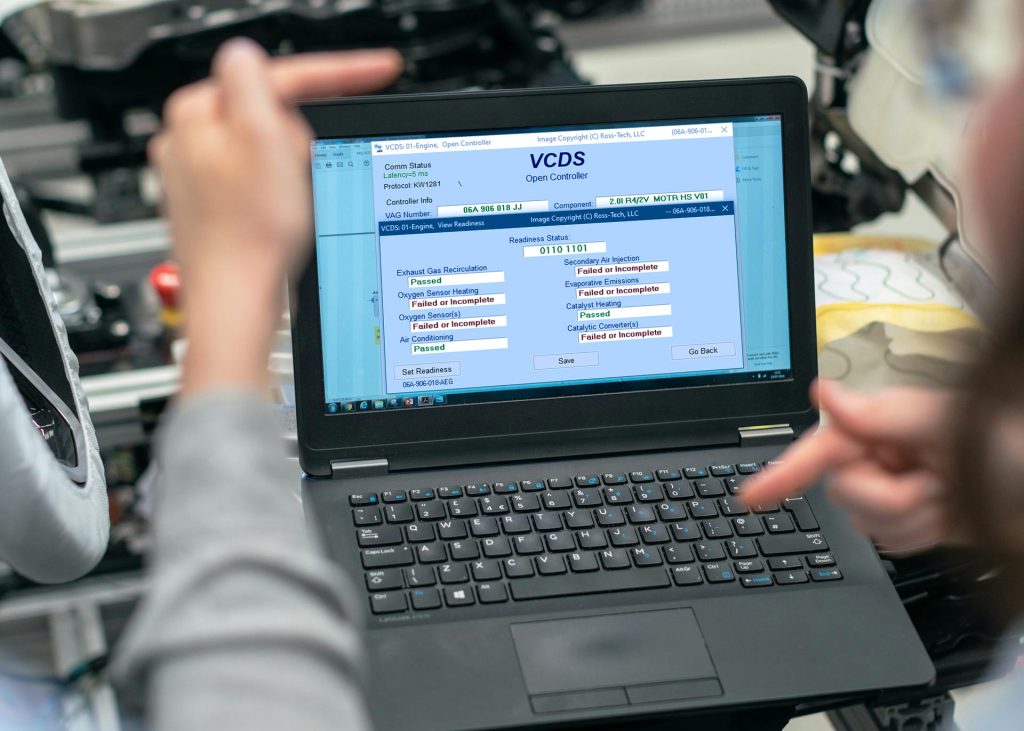
How to Use VCDS to Read and Clear Fault Codes on VW, Audi, SEAT, CUPRA & Skoda
When a warning light appears on your dashboard, the first step in fixing the problem is to understand why it’s there. With VCDS, you can read and clear fault codes from virtually every control module in your Volkswagen Group vehicle, not just the engine.
In this guide, we’ll walk you through how to read and clear fault codes using VCDS, explain what those codes mean, and show why VCDS is far more powerful than a basic OBD-II scanner.
What Are Fault Codes?
Fault codes (also known as Diagnostic Trouble Codes or DTCs) are stored by your vehicle’s control modules when something operates outside its expected parameters.
Unlike generic OBD-II tools, VCDS can read manufacturer-specific fault codes from:
- Engine (ECU)
- ABS / ESP
- Airbags
- Transmission
- Steering
- Climate control
- Convenience and body modules
This deeper access is what makes VCDS a dealer-level diagnostic tool.
What You Need Before You Start
Before reading fault codes, make sure you have:
✔ A Compatible VCDS Interface
- HEX-V2 (USB)
- HEX-NET (USB or Wi-Fi)
✔ A Windows Laptop or PC
VCDS is Windows-based and must be installed and activated using a genuine Ross-Tech interface.
✔ Vehicle Ignition On
The ignition should be switched ON, but the engine does not need to be running unless specified.
Connecting VCDS to Your Vehicle
- Plug your VCDS interface into the car’s OBD-II port (usually under the dashboard).
- Connect the interface to your laptop via USB or Wi-Fi.
- Launch the VCDS software.
- Click [Options] and then [Test] to confirm communication.
Once confirmed, you’re ready to scan the vehicle.
Running a Full Auto-Scan (Recommended)
The easiest way to identify all faults is by running an Auto-Scan.
Steps:
- Click [Auto-Scan]
- Select your vehicle chassis type
- Click [Start]
VCDS will now scan all installed control modules and list any stored or intermittent fault codes.
Why Auto-Scan Matters
- Finds issues you didn’t know existed
- Creates a full vehicle health report
- Ideal for troubleshooting or pre-purchase inspections
You can save or export the scan results for later reference or sharing with a technician.
Reading Fault Codes in Individual Modules
To focus on a specific system:
- Click [Select]
- Choose the control module (e.g. 01-Engine, 03-ABS, 15-Airbags)
- Click [Fault Codes – 02]
You’ll see:
- Fault code number
- Description
- Status (static or intermittent)
- Additional diagnostic data
Many VCDS fault descriptions are far more detailed than those of generic scanners, making diagnosis easier and faster.
Clearing Fault Codes Safely
Once faults have been investigated or repairs completed, you can clear codes.
To clear codes:
- Enter the relevant control module
- Select [Fault Codes – 02]
- Click [Clear Codes – 05]
⚠️ Important: Clearing a fault does not fix the problem. It only removes the stored record. If the issue still exists, the fault code will return.
Common Reasons Fault Codes Return
If a fault code reappears after clearing, it usually means:
- A sensor or component is still faulty
- Wiring or connection issues exist
- An adaptation or calibration is required
- The issue is intermittent but unresolved
VCDS allows you to dig deeper using:
- Live data
- Measuring blocks
- Basic settings
- Output tests
These advanced features help pinpoint the real cause.
Why VCDS Beats Generic OBD-II Scanners
| Feature | Generic OBD-II | VCDS |
| Engine codes only | ✅ | ✅ |
| ABS / Airbag access | ❌ | ✅ |
| VW-specific codes | ❌ | ✅ |
| Live module data | Limited | Advanced |
| Coding & adaptations | ❌ | ✅ |
| Dealer-level detail | ❌ | ✅ |
For VW-Group vehicles, VCDS is in a different league entirely.
Best Practices When Using VCDS
- Always save Auto-Scans before making changes
- Research unfamiliar fault codes before clearing
- Avoid coding changes unless you understand the impact
- Use the Ross-Tech Wiki for module-specific guidance
- Keep VCDS software up to date
Reading and clearing fault codes with VCDS is one of the most powerful ways to understand what’s really happening inside your VW, Audi, SEAT, CUPRA, or Skoda. With access to every control module and detailed fault information, VCDS turns guesswork into informed diagnostics, helping you save time, money and unnecessary parts replacement.
If you’re committed to maintaining or repairing VAG vehicles, VCDS is an indispensable tool. To truly understand these cars, having the right diagnostic tool is crucial. A genuine VCDS interface lets you read fault codes, run advanced scans, and make confident, informed decisions without guesswork. Browse our selection of VCDS tools and start diagnosing with confidence today.
Want complete control over VW, Audi, SEAT or Skoda diagnostics? Call 0800 195 1245 or email sales@v-techuk.com to discover how VCDS can help.